February was a big month for Screeb! We shipped features that help you collect feedback more seamlessly inside your product, detect user frustration automatically, and build smarter audiences with more powerful targeting. These updates give you deeper visibility into your users’ experience while making Screeb blend even more naturally into your product.
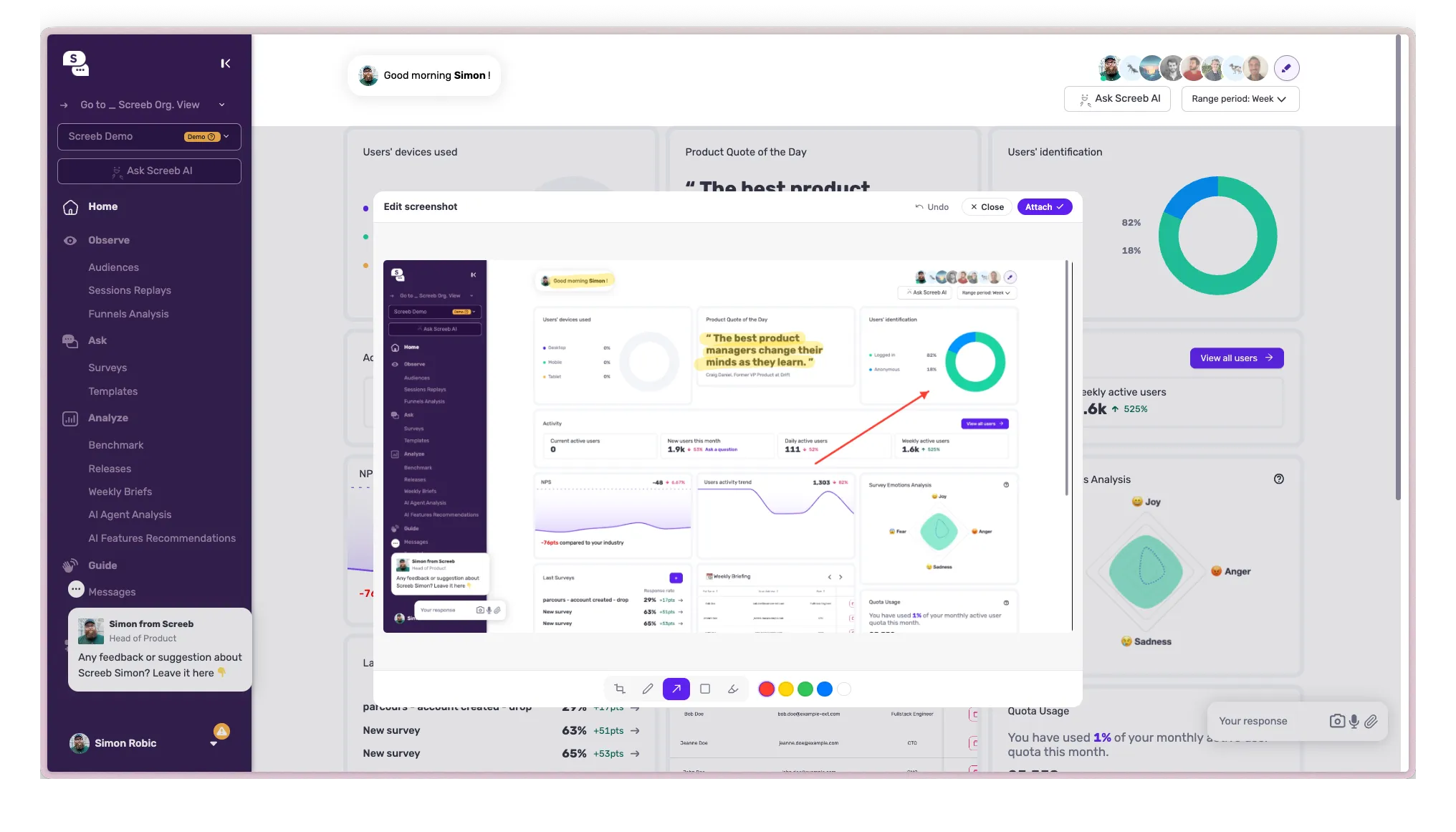
Screenshot & Image Responses
Your users can now capture, crop, and annotate a screenshot directly inside a survey response — so they can show you exactly what they mean.
Benefits:
- Get visual context alongside written feedback for faster understanding
- Eliminate back-and-forth asking users to “show me what you see”
- Let users highlight specific UI elements with built-in annotation tools
- Collect richer bug reports and feature requests with visual evidence
- Reduce ambiguity in qualitative feedback with concrete screenshots
Rage Click Detection
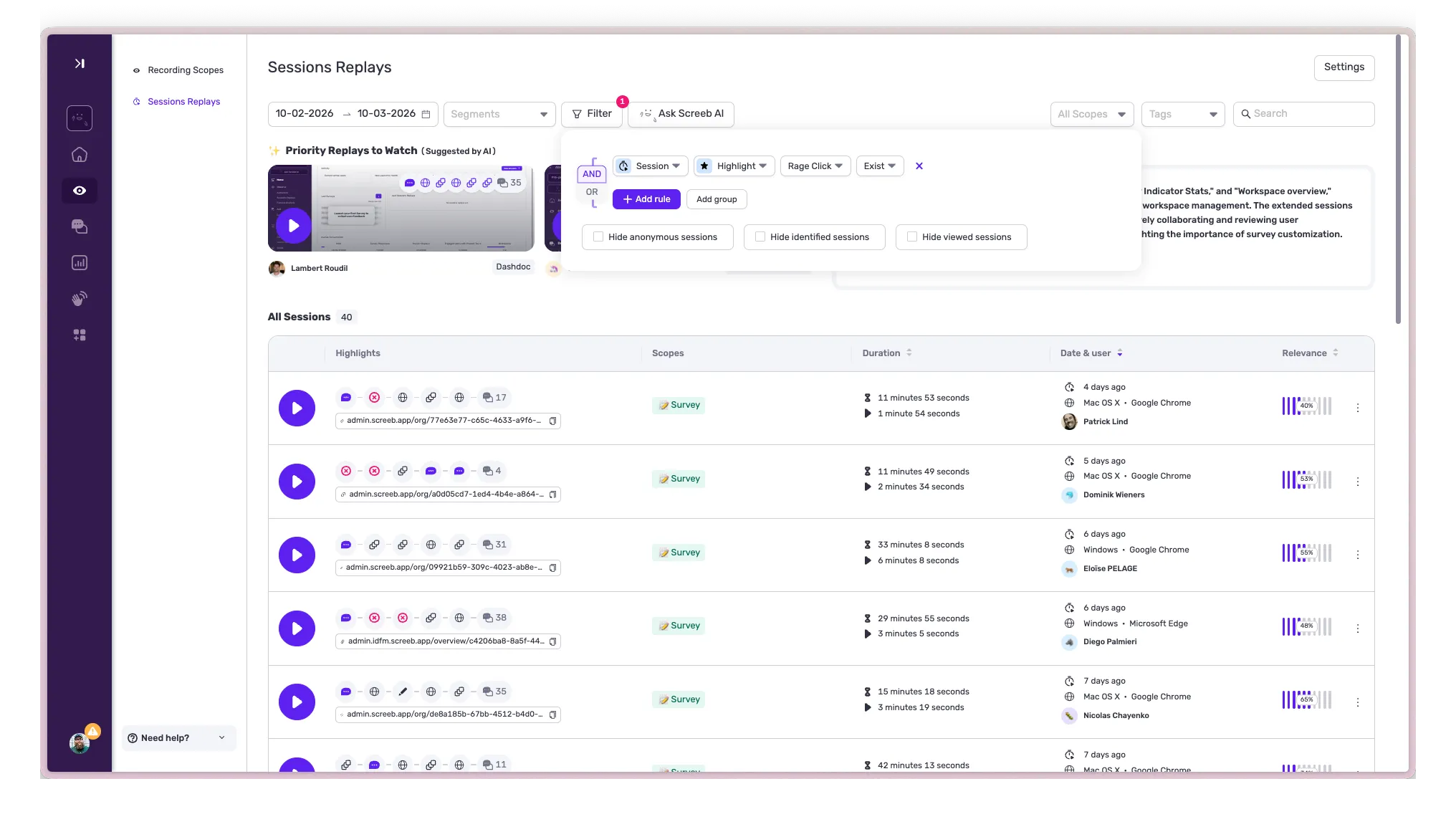
🖱️ Rage Click Detection on Session Replays
Session Replays now automatically detect and flag rage clicks — those rapid, repeated clicks that signal a user is struggling or frustrated.
Benefits:
- Identify frustration points instantly without scrubbing through full recordings
- Prioritize UX fixes based on real user behavior, not assumptions
- Reduce time-to-insight by jumping straight to the moments that matter
- Combine with survey data to understand both the “what” and the “why”
- Track rage click trends over time to measure the impact of your fixes
Advanced Targeting
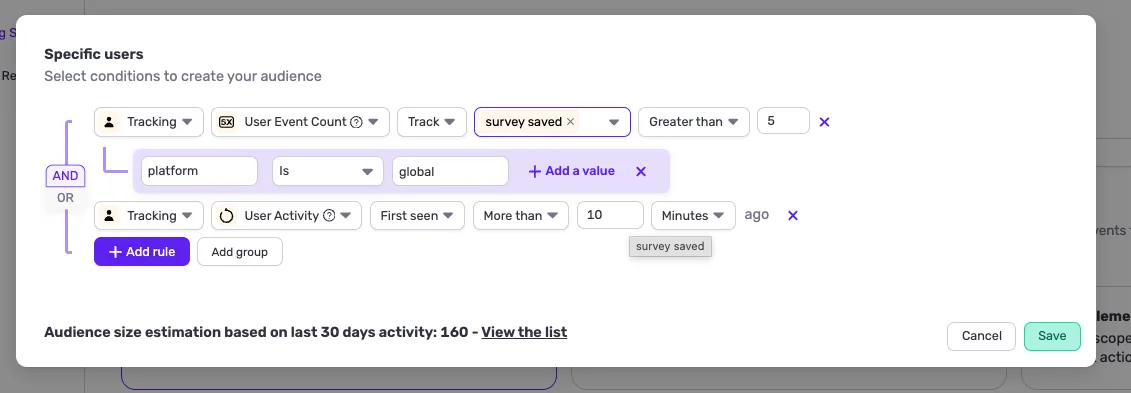
🎯 Advanced Targeting with Rule Groups
Build more precise audiences with the new rule grouping system. You can now combine targeting conditions into groups using AND/OR logic, all from a clean visual interface.
Benefits:
- Target exactly the right users with complex condition combinations
- Create segments like “users who did X AND Y, OR who did Z” in a few clicks
- Reduce the need for workarounds when targeting specific cohorts
- Improve survey relevance and response quality by reaching the right audience
- Keep targeting logic readable and manageable, even for advanced use cases
Embedded Survey Design
🧩 Embedded Survey Design Improvements
Integrate surveys directly into your product pages with a new transparent, margin-free container that looks and feels like part of your own UI. You can also embed classic modals if you prefer a more structured look.
Benefits:
- Collect contextual feedback without interrupting the user flow
- Increase response rates by making surveys feel native to your product
- Run inline NPS, feature-specific micro-surveys, or in-page feedback forms
- Choose between a seamless embedded format or a classic modal appearance
- Place surveys exactly where the context is, next to the feature you want feedback on
CSV Export
📊 CSV Export for Event Logs
You can now export your event logs as CSV files directly from the platform, making it easy to analyze raw event data in your preferred tools.
Benefits:
- Dig into your raw event data using any spreadsheet or BI tool
- Build custom reports and dashboards outside of Screeb
- Share event data with technical teams for deeper analysis
- Audit your tracking implementation with full data access
- Cross-reference Screeb events with data from other platforms